Jira
Overview
Section titled “Overview”The Jira integration lets you create and link Jira tickets from both risks and incidents.
After assigning Urgency and the Due Date of a risk, the next step is remediation. You can enable integrations with service ticketing tools — such as Jira — to create relationships and manage remediation work. Once enabled, you can create a new ticket or link to an existing ticket. A single risk or incident can have one or multiple tickets.
To associate a ticket, open the risk or incident and scroll to the ticketing integration section towards the bottom of the detailed view. If your organization also connects ServiceNow or Linear, tickets from those integrations appear in the same section alongside Jira tickets — a record is not limited to a single ticketing integration.
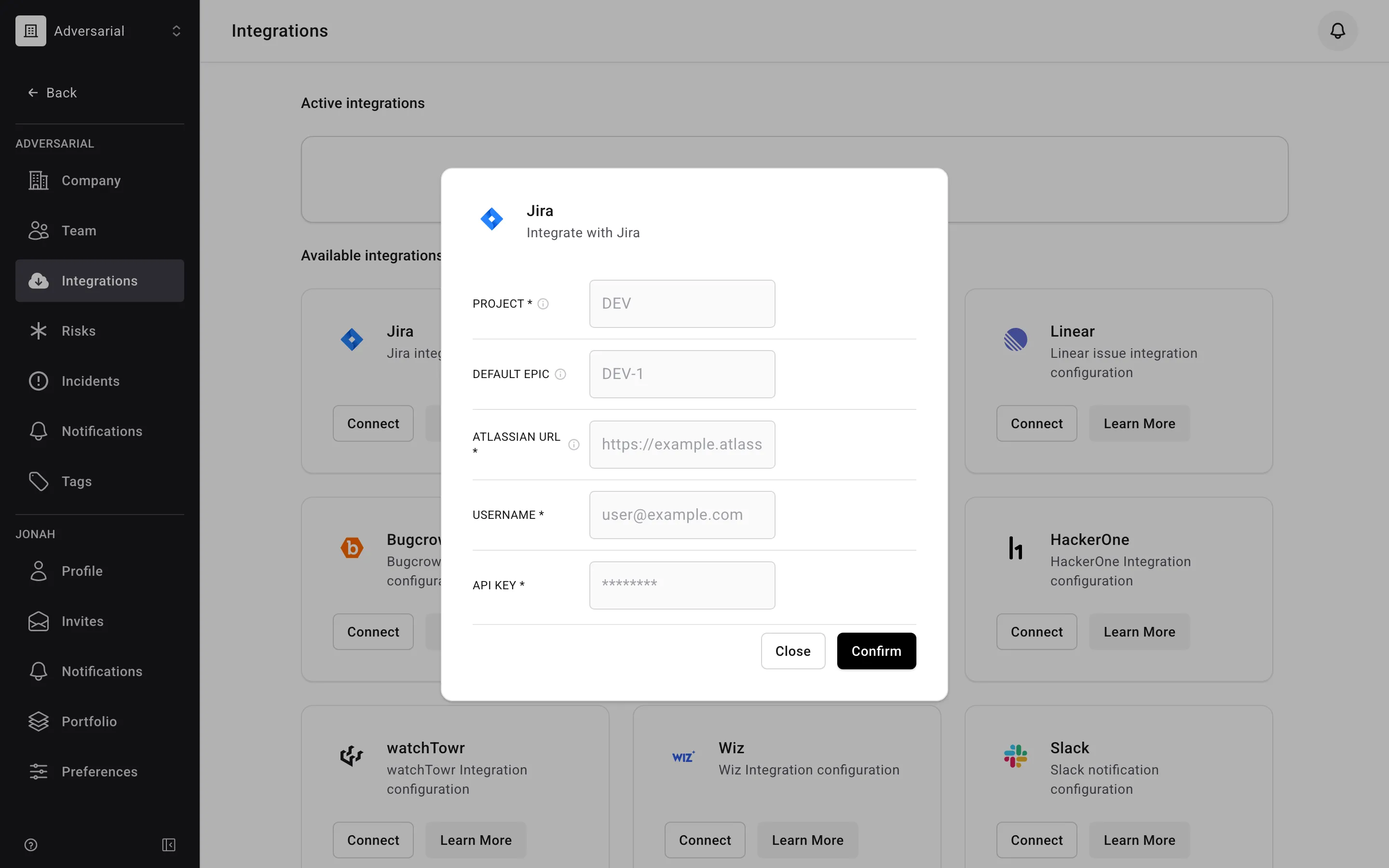
The integration can be enabled directly from your Adversarial tenant via Settings > Integrations. To connect your Jira environment, provide:
- Atlassian URL — your Jira instance URL.
- Username — the email of the Atlassian account the integration acts as.
- API Key — an API key generated from that Atlassian account.
- Project — the Jira project where new issues are created.
- Default Epic (optional) — an epic that newly created issues are filed under.
Creating a New Ticket
Section titled “Creating a New Ticket”Select + Create Ticket. Jira offers a Project box pre-filled with your configured project — leave it as is to file into that project, or type another project key to file this one issue elsewhere. The ticket is automatically populated with the Title and Description from the record’s detailed view.
Within Jira, the Labels field is filled differently depending on the record type:
- For a risk —
Adversarial(indicating the source), the risk ID, each of the risk’s Tags, and each Threat Objective assigned at strong correlation. - For an incident —
Adversarialand the incident ID only.
Spaces in tag and threat objective names become underscores, since Jira labels cannot contain spaces. All of these details can be edited directly within the ticket.
Linking an Existing Ticket
Section titled “Linking an Existing Ticket”In the Tickets section, start typing in the Search Jira box to find an issue by summary or key, and select it to associate it with the record. If more than one ticketing integration is configured, pick Jira in the selector first.
Importing Issues with JQL
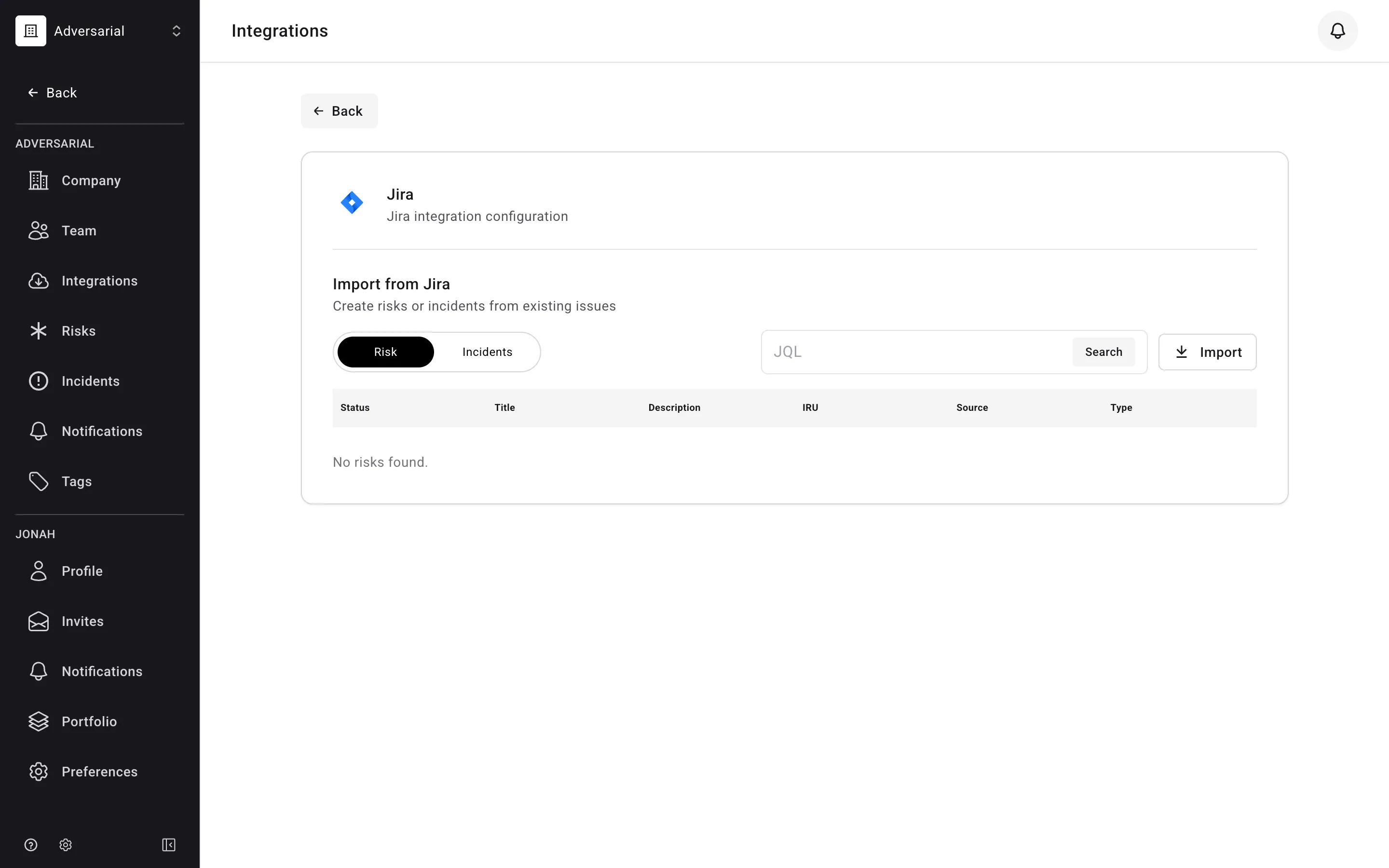
Section titled “Importing Issues with JQL”The integration can also import existing Jira issues into Adversarial as risks or incidents. Enter a JQL query, preview the matching issues (the first 20 are shown), and import them. Issues already linked to a record are skipped automatically, and imported records are opened by “Jira Integration”.
Each imported record is populated from the issue:
| Jira Field | Adversarial Field | Notes |
|---|---|---|
| Summary | Title | |
| Description | Description | The issue’s labels are appended to the description. |
| Status | Status | For a risk: To Do → New, In Progress → Remediation, Done → Closed. For an incident: Open → New, In Progress → In Progress, Done → Closed. Any other status maps to New. |
| Priority | Urgency / Severity | Mapped to the risk’s Initially Reported Urgency or the incident’s Severity (see below). |
| Created date | Discovered / Detected Date | Today’s date if the issue has no created date. |
| Resolution date | Closed / Contained Date | Only mapped if the resolution date is set. |
Priority Mapping
Section titled “Priority Mapping”| Jira Priority | Risk Initially Reported Urgency / Incident Severity |
|---|---|
| Highest | Critical / SEV-1 |
| High | High / SEV-2 |
| Medium | Medium / SEV-3 |
| Low | Low / SEV-4 |
| Lowest | Info / SEV-5 |
Labels Mapping
Section titled “Labels Mapping”Additional fields are read from labels on the Jira issue when present:
| Jira Label | Adversarial Field | Value |
|---|---|---|
ARM_SRC_… |
Source | Maps to specific sources (e.g., ARM_SRC_ASM → Attack Surface Monitoring). A risk imported without this label defaults to Employee Reported. Imported incidents always default to Employee Reported. |
ARM_Type_… |
Type | Maps to specific types (e.g., ARM_Type_Vulnerability → Vulnerability). |
ARM_Urgency_Medium |
Likelihood / Impact | Likelihood: Possible, Impact: High |
ARM_Urgency_High |
Likelihood / Impact | Likelihood: Probable, Impact: High |
ARM_Urgency_Crit |
Likelihood / Impact | Likelihood: Probable, Impact: Severe |
Jira issues are imported on demand — there is no scheduled Jira sync. An issue’s Jira assignee, and any later status changes, are not carried back to the Adversarial record.