Getting Started
This guide covers initial setup for the Adversarial web platform, where you manage risks, incidents, and compliance workflows.
Prerequisites
Section titled “Prerequisites”- A Google or Microsoft work account to sign in with
Platform setup
Section titled “Platform setup”Log in at app.adversarial.com with your Google or Microsoft account. If your account doesn’t belong to an organization yet, the Organization Setup screen appears — pending invitations at the top, and a form to create a new organization below.
Accept a pending invitation
Section titled “Accept a pending invitation”If an administrator has invited you, the invitation appears first, showing who sent it, the roles you’ll receive, and when it expires.
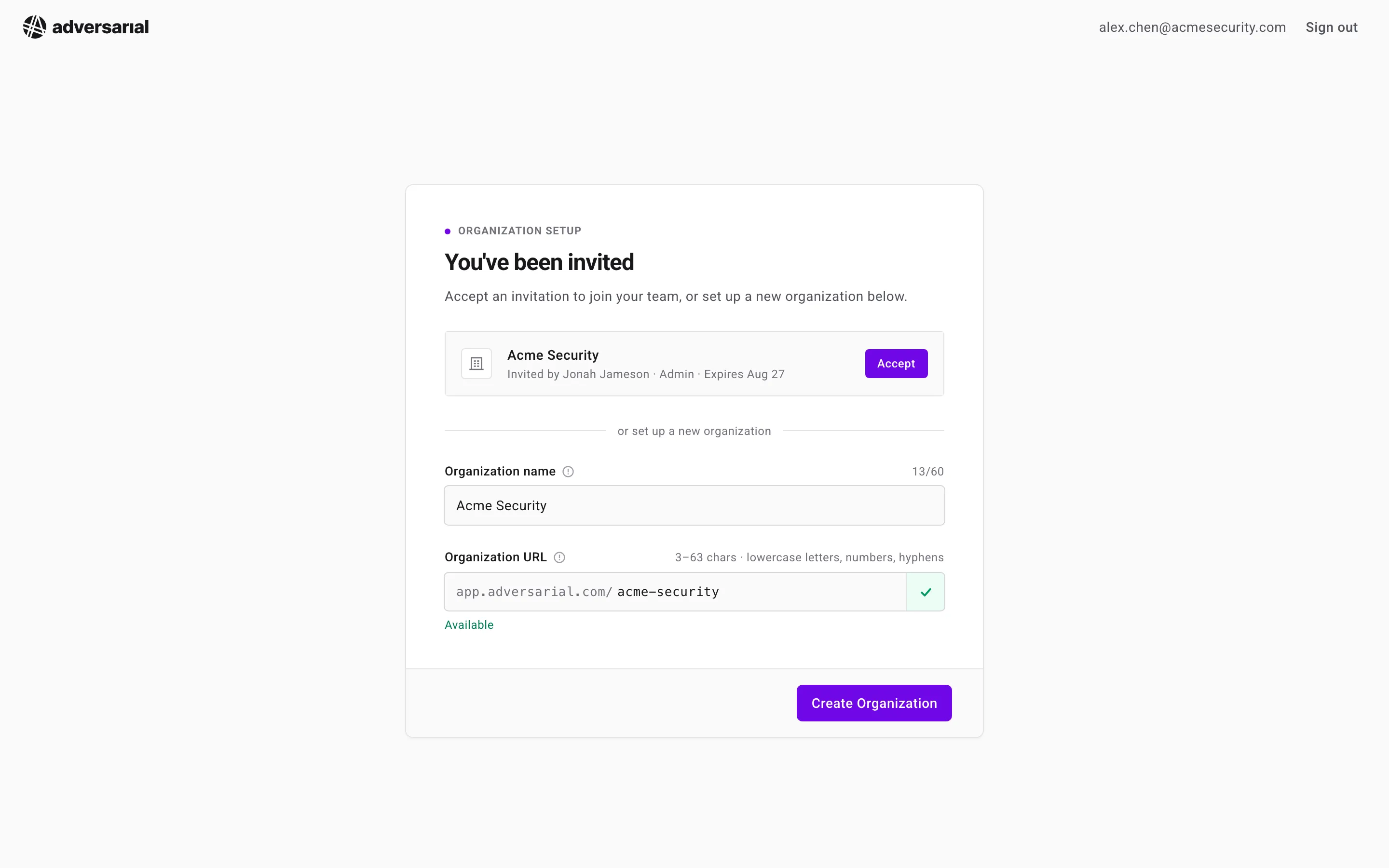
Click Accept to join that organization and enter the platform immediately, with the roles the inviter assigned. If you have access to multiple organizations, you can switch between them at any time using the organization switcher at the top of the sidebar.
Create your organization
Section titled “Create your organization”If you signed in without an invite, create your organization instead:
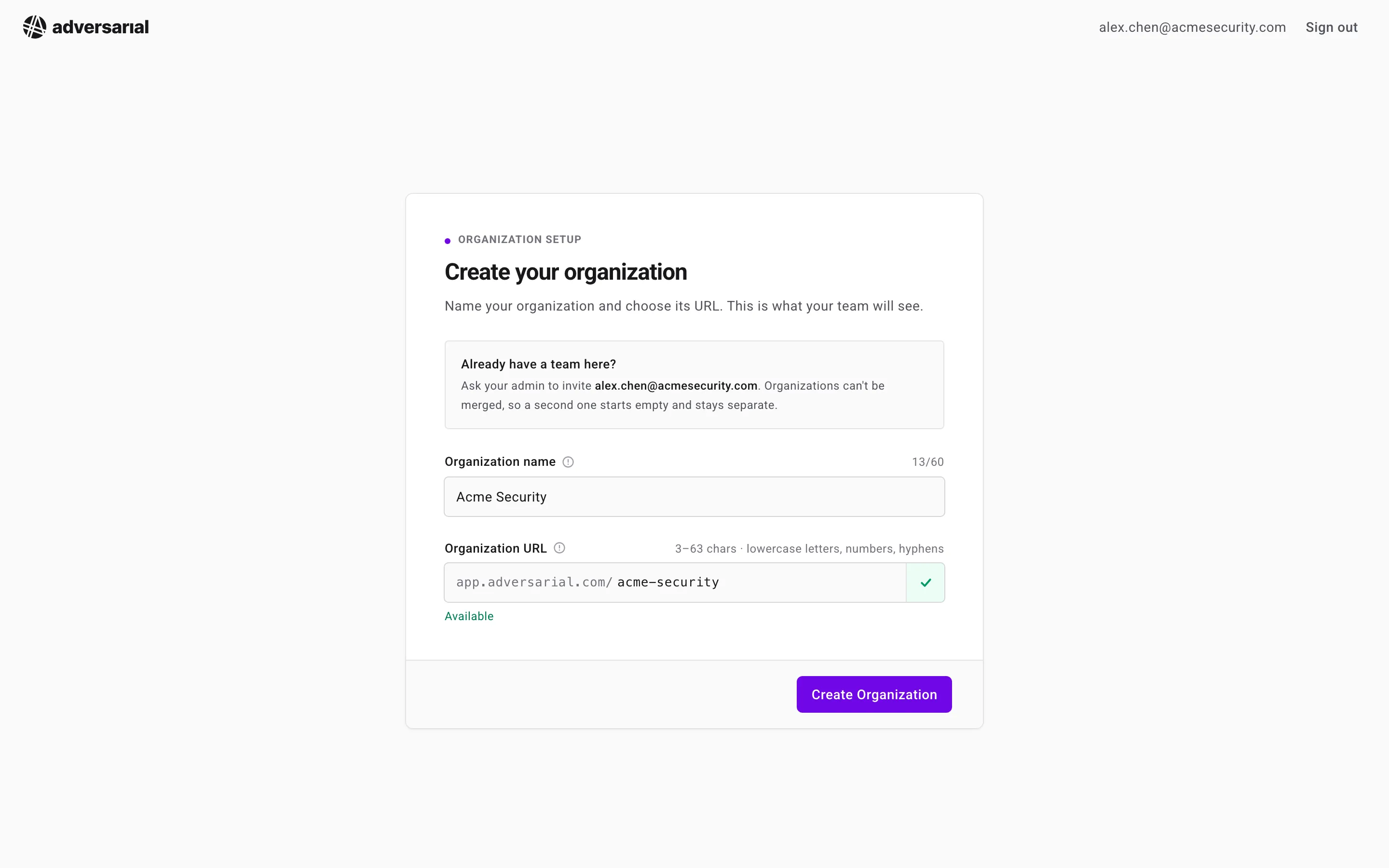
- Organization name — prefilled from your email domain and customizable up to 60 characters.
- Organization URL — the platform derives a URL slug from the name (3–63 characters; lowercase letters, numbers, and hyphens) and checks its availability as you type. The slug defines your permanent workspace URL (
app.adversarial.com/[org_slug]/). - Click Create Organization. You become the organization’s first admin and can invite the rest of your team from Settings > Team.
Once you are in, review your organization’s settings. Open Settings with the gear icon in the side navigation — it opens straight to Company, where you can confirm the organization Name. The remaining settings are safe to explore, but we recommend starting with the defaults and revisiting them later.
Next steps
Section titled “Next steps”- Authentication — how the login flow works
- Platform Onboarding — guided walkthrough of core platform features