CrowdStrike
Overview
Section titled “Overview”Integrate your Incident Register with CrowdStrike Falcon. This integration imports alerts from NGSiem, CWPP, and EPP as Incident records. Alerts are aggregated by correlation ID before being synced.
- Source: EDR
- Opened By: The integration user for the connection, named for the product and the connection — for example “CrowdStrike Production”. See Integration users.
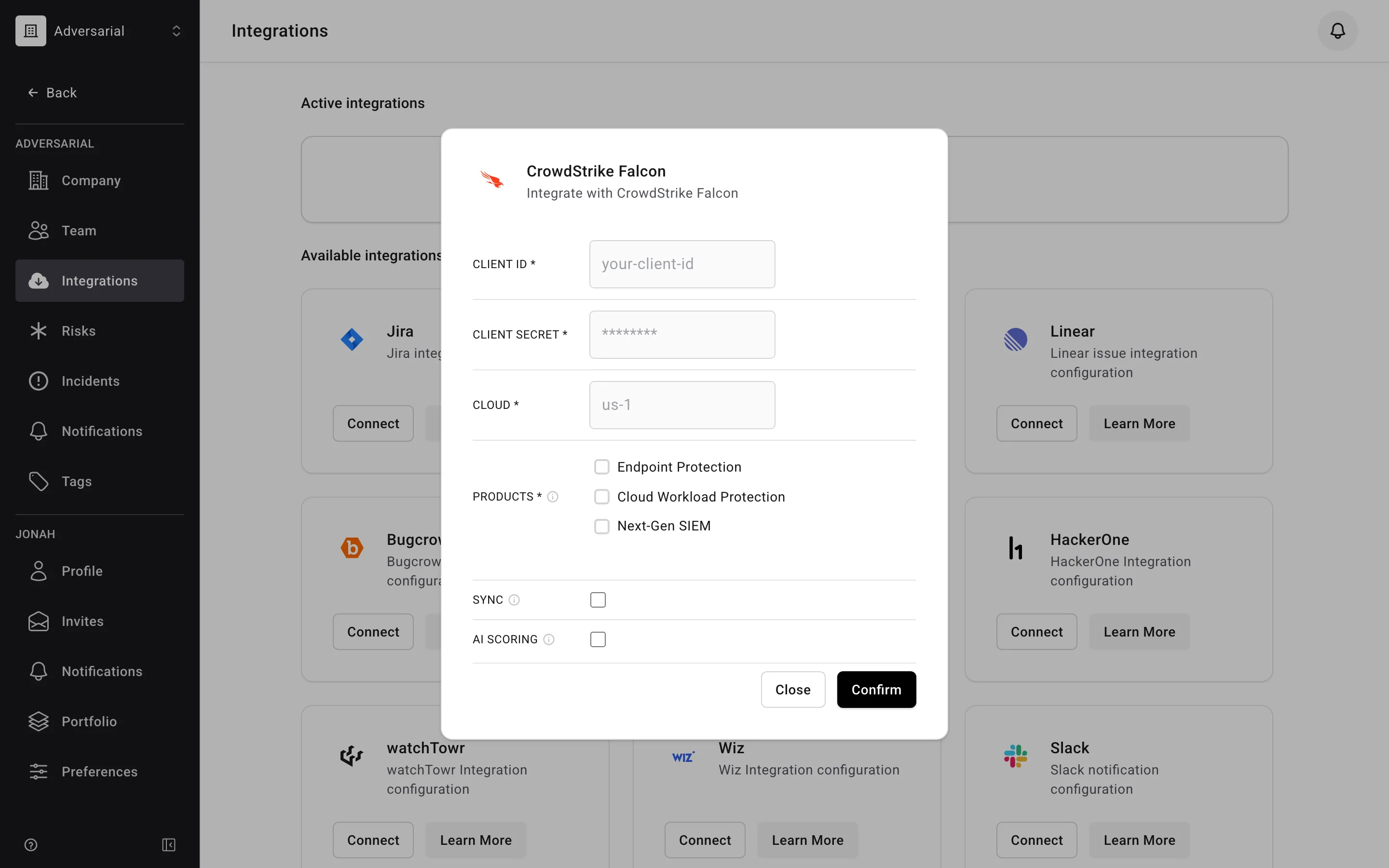
The integration can be enabled directly from your Adversarial tenant via Settings > Integrations. To connect your CrowdStrike environment, provide:
- Client ID and Client Secret — credentials for an API client with read access to Alerts.
- Cloud — the Falcon cloud region your environment runs in.
- Products — which products to import alerts from: Endpoint Protection, Cloud Workload Protection, and Next-Gen SIEM. Select at least one.
Status Mapping
Section titled “Status Mapping”CrowdStrike alert statuses are mapped to Adversarial incident statuses:
| CrowdStrike Status | Adversarial Status |
|---|---|
new |
New |
in_progress / assigned |
In Progress |
closed |
Closed |
| (unrecognized) | New |
Severity Mapping
Section titled “Severity Mapping”CrowdStrike alert severity maps to Adversarial incident severity. Informational alerts are excluded from import.
| CrowdStrike Severity | Adversarial Severity |
|---|---|
| Critical | SEV-1 |
| High | SEV-2 |
| Medium | SEV-3 |
| Low | SEV-4 |
Fields
Section titled “Fields”| CrowdStrike Field | Adversarial Field | Notes |
|---|---|---|
name |
Title | When multiple alerts are aggregated into one incident, the title becomes “Multiple Alerts for {hostname}” |
description |
Description | Enriched with product context and MITRE info during aggregation; aggregated incidents include a table of the individual detections |
created_date |
Detected Date | |
timestamp |
Occurred Date | Falls back to created_date if missing |
seconds_to_triaged |
Responded Date | Computed as created_date + seconds_to_triaged |
seconds_to_resolved |
Contained Date | Computed as created_date + seconds_to_resolved |
| (static) | Source | Always “EDR” |
An imported incident’s Created Date is when the incident was imported into Adversarial, not when the alert was created in CrowdStrike.