HackerOne
Overview
Section titled “Overview”Integrate your Risk Register with HackerOne. This integration imports bug bounty reports as risk records, allowing you to manage vulnerabilities discovered through your HackerOne program.
- Source: Bug Bounty
- Class: Control Deficiency
- Opened By: The integration’s own integration user, named exactly as the integration. An integration named “HackerOne Production” opens its risks as “HackerOne Production”. See Integration users.
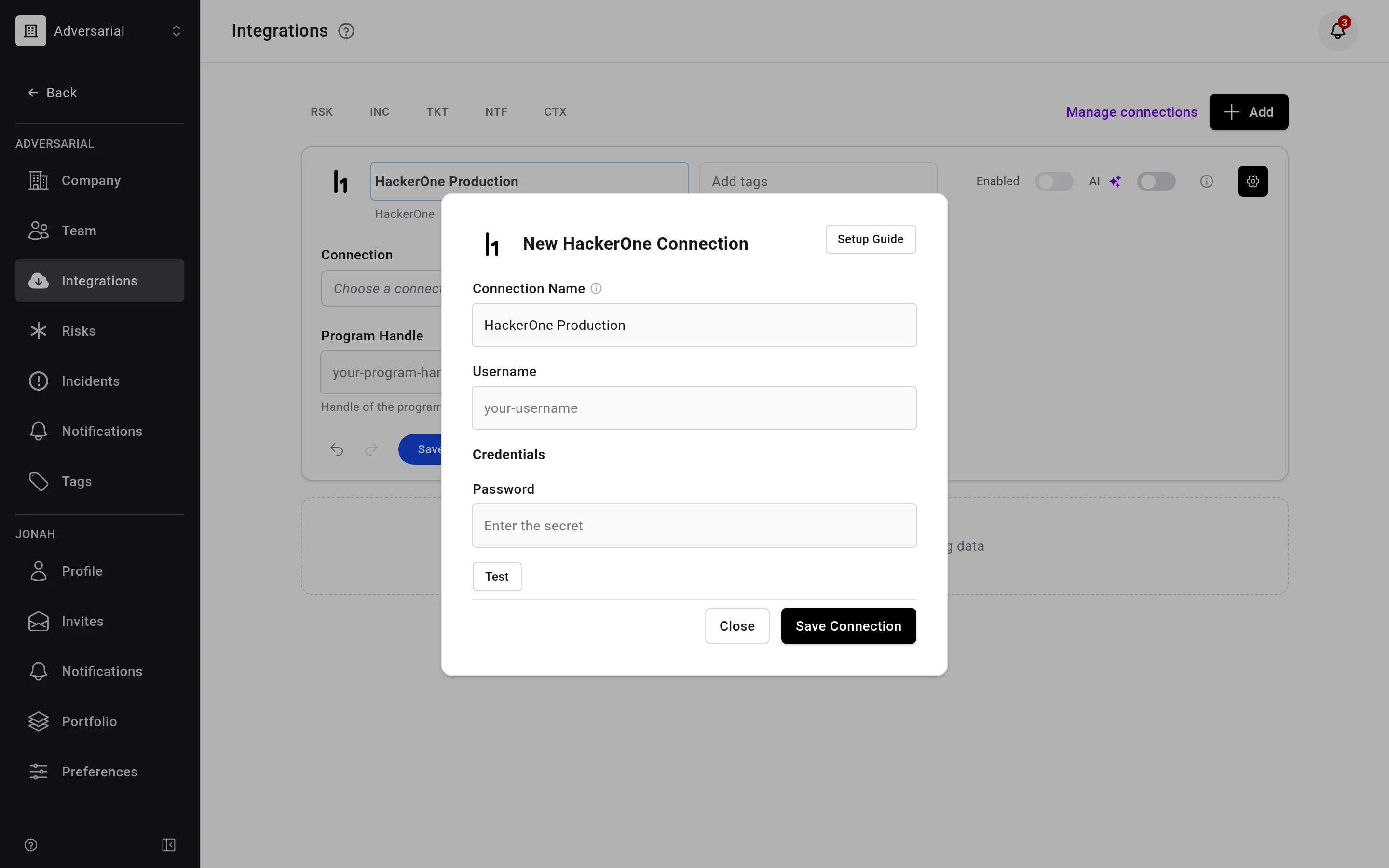
- In Adversarial, go to Settings > Integrations and select Add.
- Select RSK in the HackerOne row.
- Enter an Instance Name, such as
HackerOne Production. - Open Connection and select Add a connection…. Enter a Connection Name, your HackerOne API Username, and the API token as the Password, then select Save Connection.
- Enter the Program Handle of the HackerOne program to import reports from.
- Select Save.
Status Mapping
Section titled “Status Mapping”HackerOne report states are mapped to Adversarial risk statuses:
| HackerOne State | Adversarial Status |
|---|---|
New |
New |
Pending Program Review |
New |
Triaged |
New |
Needs More Info |
Closed |
Resolved |
Closed |
Not Applicable |
Closed |
Duplicate |
Closed |
Informative |
Closed |
Spam |
Closed |
Retesting |
Closed |
When HackerOne no longer has the report of an open risk, the nightly full sync closes the risk and adds a comment. See Items removed from the source. A risk whose report now belongs to another HackerOne program stays open.
Severity Mapping
Section titled “Severity Mapping”HackerOne severity rating maps to Adversarial Initially Reported Urgency (IRU):
| HackerOne Severity | Adversarial IRU |
|---|---|
| Critical | Critical |
| High | High |
| Medium | Medium |
| Low | Low |
| None | Info |
HackerOne severity ratings are Critical, High, Medium, Low, and None; all five are imported. A rating Adversarial doesn’t recognize imports as Low, and a report with no severity rating at all imports with its IRU left unset.
Fields
Section titled “Fields”| HackerOne Field | Adversarial Field | Notes |
|---|---|---|
title |
Title | |
vulnerability_information |
Description | Prefixed with a link to the HackerOne report |
submitted_at |
Discovered Date | |
severity.rating |
IRU | Via severity mapping above |
custom_remediation_guidance |
Remediation Task | The program team’s remediation recommendation from the report timeline. Updates on re-sync if the guidance in HackerOne changes. |
assignee |
Assigned To | Individual users only; matched to an organization member by email — see Assigned To |
| (static) | Source | Always “Bug Bounty” |
| (static) | Class | Always “Control Deficiency” |
Assigned To
Section titled “Assigned To”When a report is assigned to someone in HackerOne, Adversarial matches that person to a member of your organization by email address. If an active member has the same email, they are set in the Assigned To field on the imported risk. If no member matches — or the report is unassigned — the risk is imported unassigned. Only individual assignees are matched: a report assigned to a HackerOne group is imported unassigned.
Assignee matching requires the API token to be able to view your HackerOne organization’s members. If it cannot, reports import unassigned.
On later syncs, Adversarial fills in the assignee only when the risk doesn’t already have one. It never changes an assignee you’ve set in Adversarial, so reassigning a risk on the platform sticks even when the HackerOne assignee is different.