watchTowr
Overview
Section titled “Overview”Integrate your Risk Register with watchTowr. This integration automatically syncs attack surface findings. Findings in any of the statuses listed under Status Mapping are imported; Low and Informational severity findings are excluded.
- Source: Attack Surface Monitoring
- Type: Control Deficiency
- Opened By: The integration user for the connection, named for the product and the connection — for example “watchTowr Production”. See Integration users.
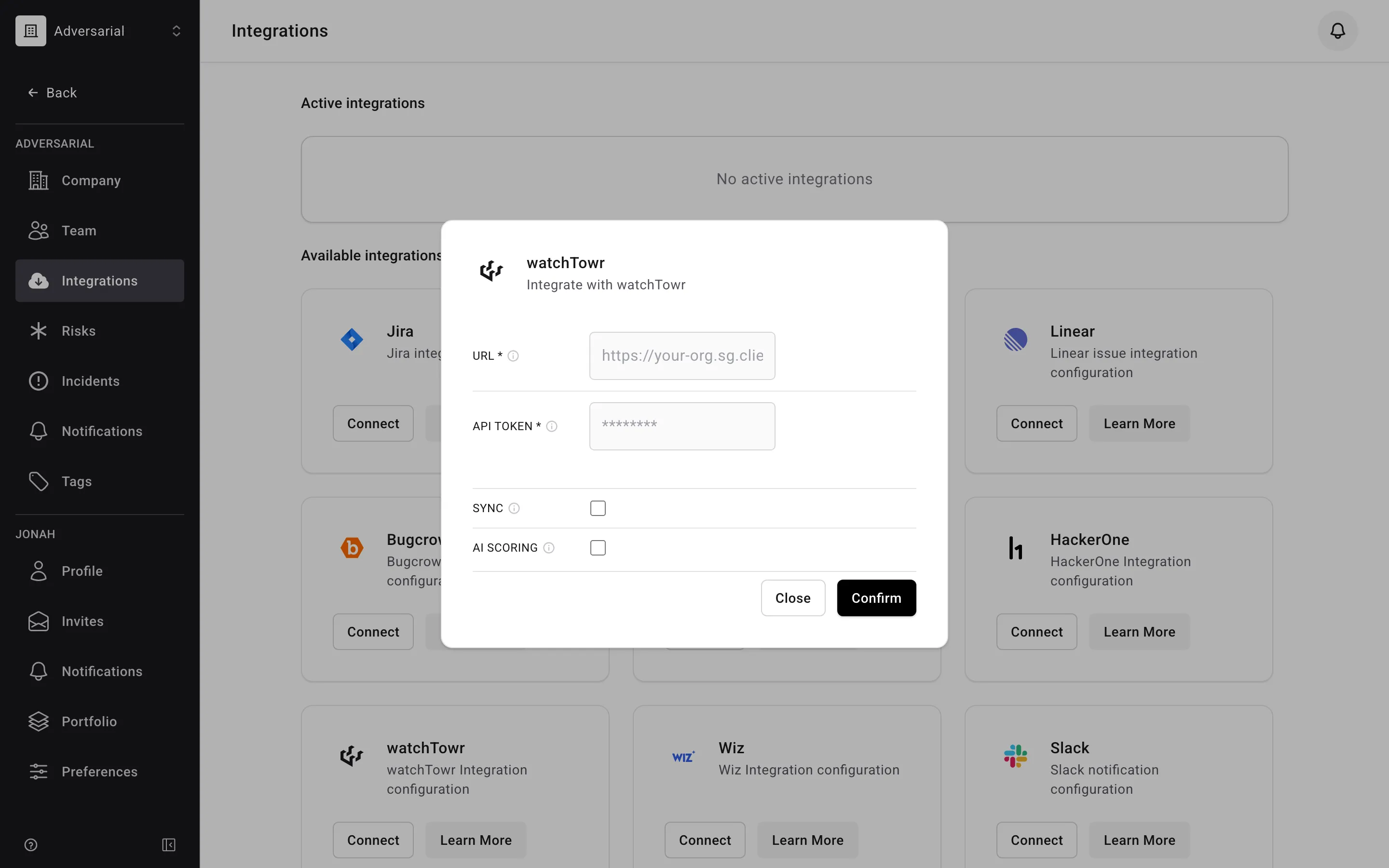
The integration can be enabled directly from your Adversarial tenant via Settings > Integrations. The necessary details to connect your watchTowr environment are the tenant URL and API Token.
Status Mapping
Section titled “Status Mapping”| watchTowr Status | Adversarial Status | Notes |
|---|---|---|
| Confirmed | New | Discovered Date from the finding’s creation date; IRU from Severity |
| Unconfirmed | New | Discovered Date from the finding’s creation date; IRU from Severity |
| Remediated | Closed | |
| Closed | Closed | |
| Risk Accepted | Closed | |
| Asset no longer tracked | Closed |
Severity Mapping
Section titled “Severity Mapping”watchTowr severity maps to Adversarial Initially Reported Urgency (IRU). Only Critical, High, and Medium severity findings are imported — Low and Informational findings are excluded.
| watchTowr Severity | Adversarial IRU |
|---|---|
| Critical | Critical |
| High | High |
| Medium | Medium |
Fields
Section titled “Fields”| watchTowr Field | Adversarial Field | Notes |
|---|---|---|
title |
Title | |
description |
Description | Built from finding details; updated if changed in watchTowr |
created_at |
Discovered Date | |
last_status_updated_at |
Closed Date | Only populated for Closed status |
severity |
IRU | Via severity mapping above |
| (static) | Source | Always “Attack Surface Monitoring” |
| (static) | Type | Always “Control Deficiency” |