Org-Level Notifications
Org-level notifications are configured by admins at the organization level and deliver to shared messaging channels.
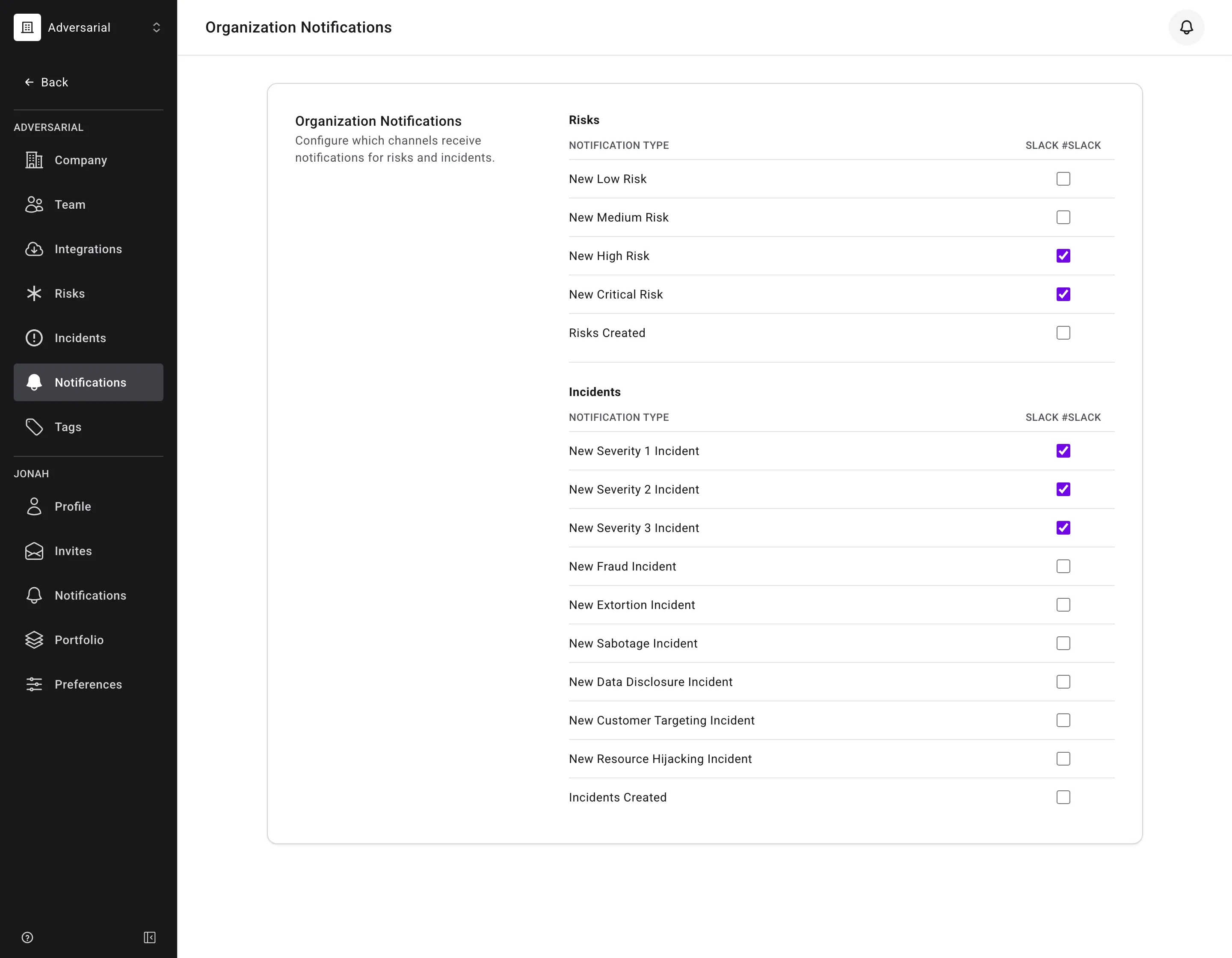
- Delivery channels: Slack and Teams.
- Admins connect a Slack workspace or Teams tenant and configure a channel for notifications.
- Notifications are delivered to the Slack or Teams channel the integration is configured for.
- At this time, only one Slack channel and one Teams channel per organization are supported.
- Only the organization-wide notification types can be routed to a channel — new risks by urgency, new incidents by severity or threat objective, and batch creations. Notifications tied to a specific person or a specific item — mentions, assignments, organization invitations, and updates to individual risks and incidents — are personal and cannot be sent to a shared channel.
- Channel delivery is independent of personal notification preferences. Enabling a type for a Slack or Teams channel does not change what anyone receives in-platform or by email.
For setup instructions, see the integration guides: