Semgrep
Overview
Section titled “Overview”Integrate your Risk Register with Semgrep AppSec Platform. This integration imports Code (SAST), Supply Chain (SCA), and AI-powered detection findings from one Semgrep deployment as risk records. Each sync reads every finding, so a fix or triage in Semgrep reaches the Risk Register on the next sync.
- Source: Appsec: SAST for Code and AI-powered detection findings; Appsec: SCA for Supply Chain findings
- Class: Code for Code and AI-powered detection findings; Vulnerability for Supply Chain findings
- Opened By: The integration’s integration user, which has the same name as the integration.
Before you start, collect these details from Semgrep:
- Deployment slug: your organization’s slug. It shows in Semgrep under Settings > Deployment and in your Semgrep URLs (
semgrep.dev/orgs/<slug>/…). - API token: a token from Settings > Tokens in Semgrep, with Web API access enabled.
-
In Adversarial, go to Settings > Integrations and select Add.
-
Select RSK in the Semgrep row.
-
Enter an Instance Name, such as
Semgrep Production. -
Open Connection and select Add a connection…. Enter a Connection Name, your Deployment Slug, and your Semgrep token as the API Token, then select Save Connection. Adversarial checks that the token is valid and belongs to that deployment.
-
Choose which findings to import:
- Issue types: Code, Supply Chain, and AI-powered detection are ticked by default. Untick any product you don’t want imported.
- Severities: every severity is ticked by default. Untick any you don’t want imported.
Each setting needs at least one value.
-
Select Save.
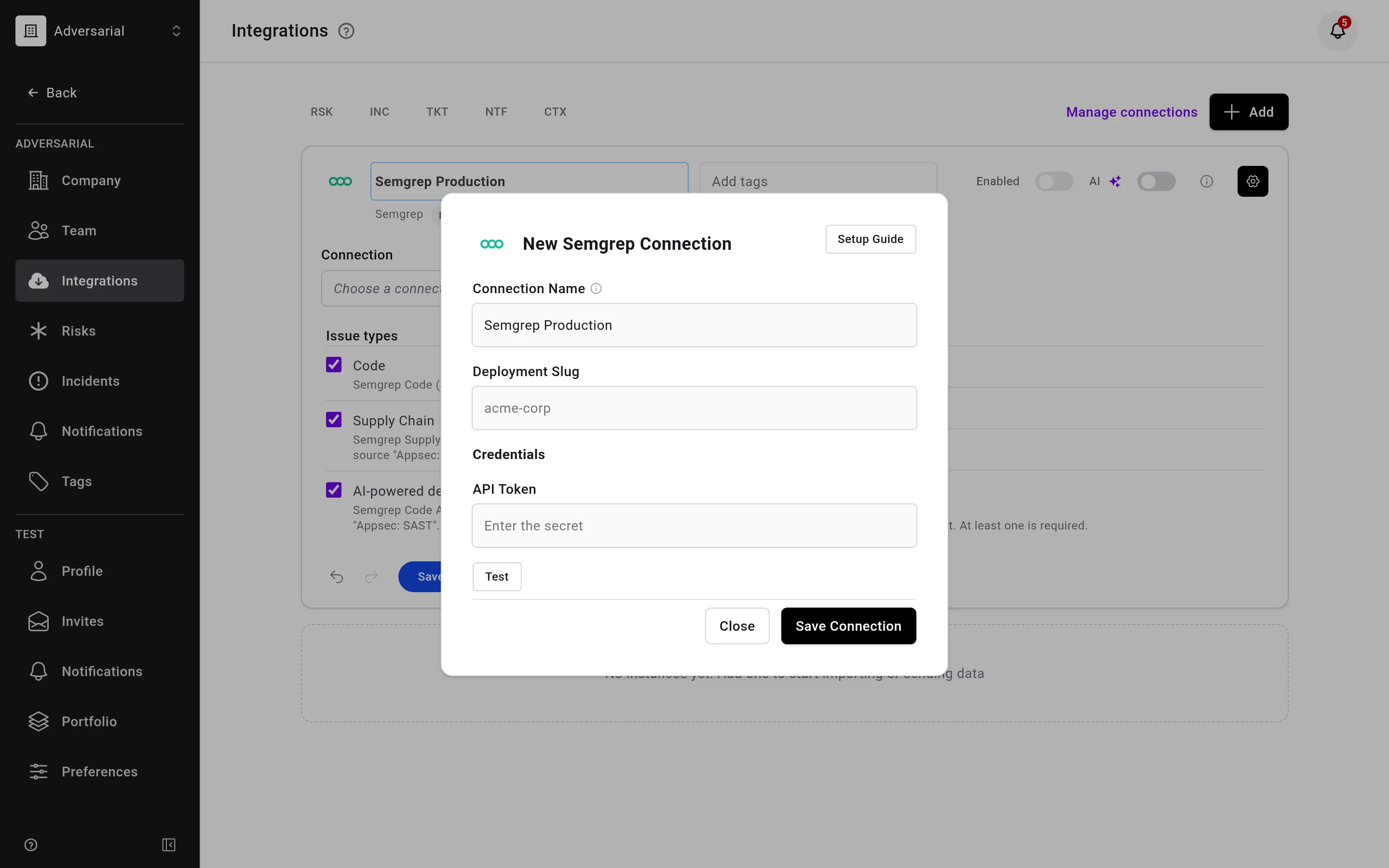
One connection can be used for every Semgrep integration you add, or you have the flexibility to use multiple connections with different API permission scopes to bring in different data. Each integration can tag the risks it imports, so you can filter each integration’s risks separately. Make sure each connection’s credentials are scoped to bring in unique findings, not the same findings, which would import as duplicate risks. See Connections.
Status Mapping
Section titled “Status Mapping”| Semgrep Status | Adversarial Status | Notes |
|---|---|---|
| Open | New | |
| Reviewing | New | |
| Fixing | Remediation | |
| Provisionally ignored | Closure Proposed | Semgrep Assistant recommends ignoring the finding; a person confirms the closure |
| Ignored | Closed | Closed Date from when the finding was triaged |
| Fixed | Closed | Closed Date from when Semgrep detected the fix |
Severity Mapping
Section titled “Severity Mapping”Semgrep severity maps to Adversarial Initially Reported Urgency (IRU). All severities are imported unless the configuration excludes them.
| Semgrep Severity | Adversarial IRU |
|---|---|
| Critical | Critical |
| High | High |
| Medium | Medium |
| Low | Low |
Fields
Section titled “Fields”| Semgrep Field | Adversarial Field | Notes |
|---|---|---|
| Vulnerability class, rule name, and file location | Title | Code and AI-powered detection, for example “Path Traversal (tainted-path) in src/files.rs:50” |
| Vulnerability ID and package | Title | Supply Chain, for example “CVE-2026-4800 in lodash@4.17.23” |
| (multiple fields) | Description | A link to the finding in Semgrep, the rule message, then the repository, branch, file location, rule, vulnerability class, CWE, OWASP, and confidence. Supply Chain findings add the package, ecosystem, transitivity, reachability, EPSS, and fixed versions. AI-powered detection findings add the impact. Updated if it changes in Semgrep |
| Assistant remediation guidance, or the fixed package version | Remediation | Assistant guidance when present; otherwise, for Supply Chain, the upgrade to the fixed version |
| First detected | Discovered Date | When Semgrep first detected the finding, or detected it again after a fix |
| Status | Status | Via status mapping above |
| Severity | IRU | Via severity mapping above |
| (static) | Source | “Appsec: SAST” or “Appsec: SCA” |
| (static) | Class | “Code” or “Vulnerability” |
Semgrep findings are merged across branches, so each finding appears once, as in the Semgrep findings view.